Category Archives: Shooting specific subjects

Information on how to shoot specific subjects and locations etc.

How to get the sky right in your holiday pictures

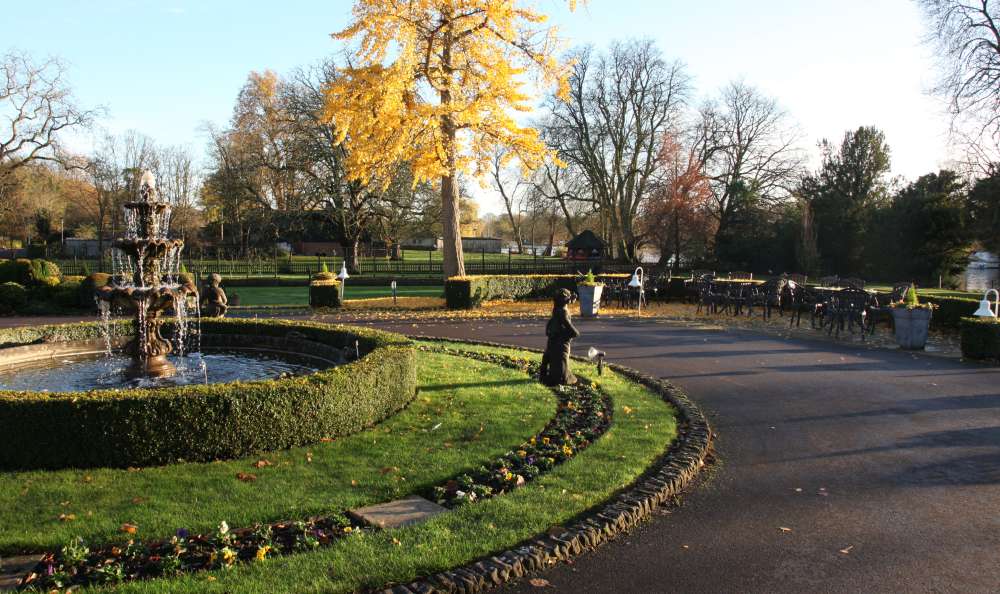
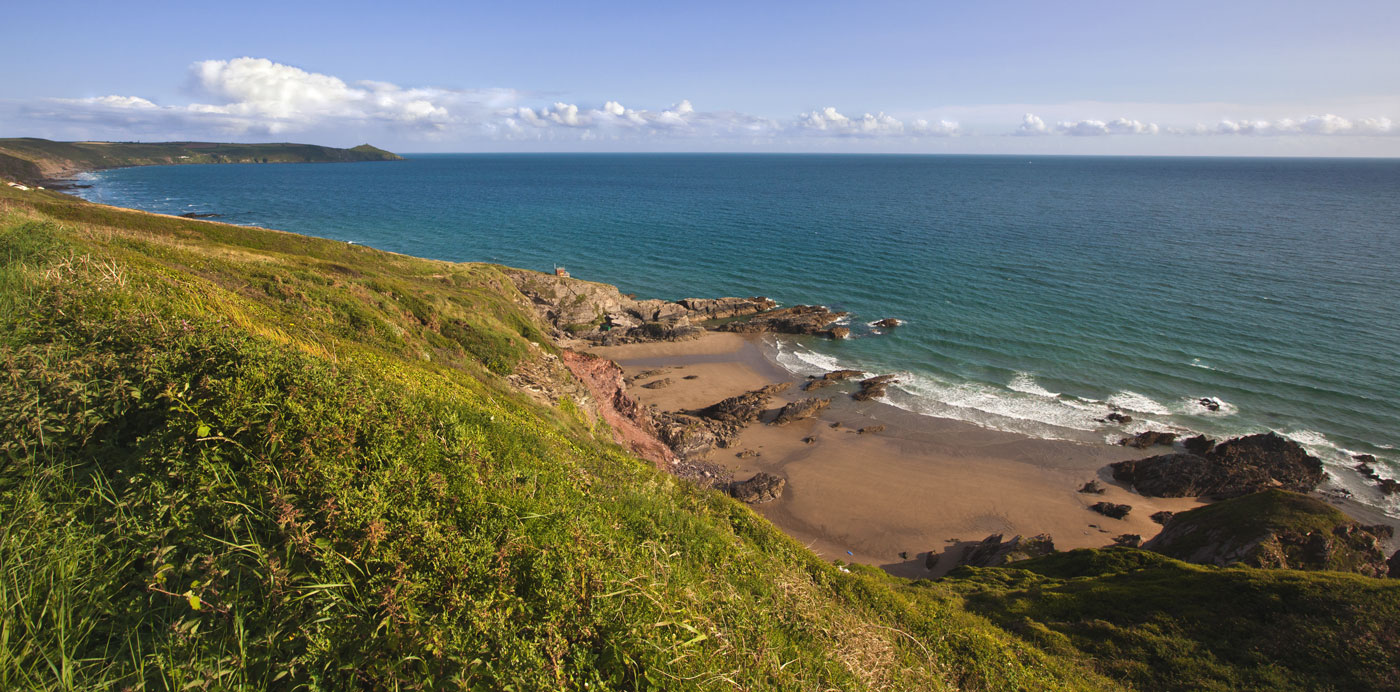
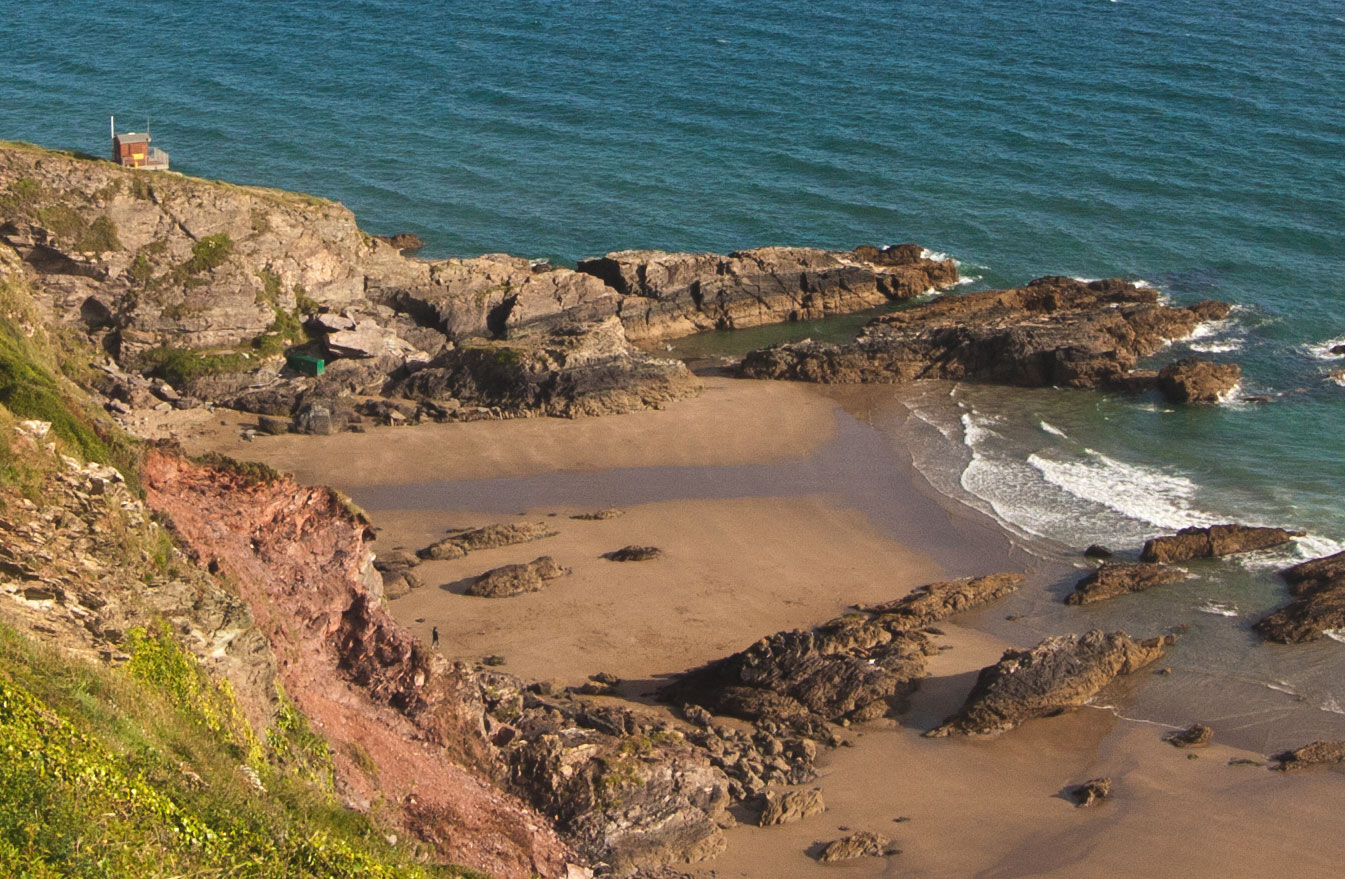
Cornish Vista

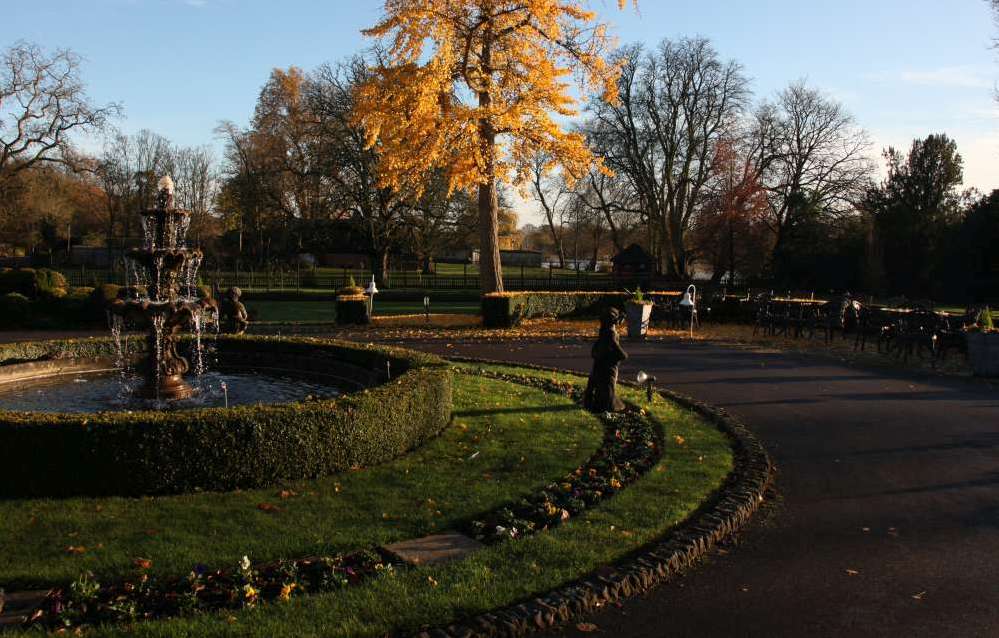
Cornish vista
Think about how to get the best out of your sky.
Cornish Vista • By Netkonnexion on 365ProjectExternal link - opens new tab/page

Getting the sky right is important.

With the holiday season approaching we want our holiday photographs reflect the happy memories. All too often the sky is over-white, washed out or blown-out. There are a number of techniques you can use to get the sky right, in camera and in post processing.

What are you really looking for in a good sky? Deep blues for the sky, fluffy white clouds and well defined horizons are the ideal situation. To get them like that in the camera you have to pay attention to the time of day, the type of sky, the weather and have a sense of drama. Here are some ideas to help you…

Polarizing Filter

One of the photographers important tools for sky photography is the polarizing filter. It is a glass or composite material that is set into the inner of two metal rings. The first ring screws directly to the front of your lens. The other rotates inside the screw ring. The filter itself cuts out some of the wavelengths of light. You turn the ring with the filter mounted in it so that it can be set for maximum effect. The filter action reduces the glare and haze associated with reflective surfaces like water and glass. Amazingly it also deepens the blue in the sky. So what we see in the photograph is a sky that is darkened with emphasised blues and the air has a crispness and clarity. These effects are not reproducible in post-processing software. It is invaluable to have this effect in camera and will really liven up the drama of the sky.

Critical view-line

If you gaze out across a wide open sky on a bright sunny day you will notice that the blueness of the sky is not uniform. It is a deeper blue in places and a whiter blue elsewhere. In fact the sky gets to be a deeper blue if you are facing away from the sun. It is at its deepest blue at the opposite end of the sky from the sun. So where you can, shoot with the sun at your back.

Of course having the sun at your back is not always possible. A good rule is not to let the sun be in front of you. If it is at your shoulder (90 degrees to your shot) it will still allow you to get a reasonable blueness in the sky. If you have to shoot with the sun in front of you, even if at a wide angle, the blues will start to whiten. The more you are shooting toward the sun the more the sky will wash out.

The mid-day washout

During the middle of a sunny day the sky will be at its most washed out. As the sun is at its highest at this point you should avoid taking photographs if you can. The more the sun falls toward the horizon the more the atmosphere will act as a natural filter and increase the blues at the opposite end of sky. The middle of the day is also bad for photography because the sun being overhead means that objects on the ground have little shadow around them. This gives the landscape a flat and unappealing look. Washed out skies and flat appearance at ground level makes convincing photography difficult!

Use an ND graduated filter

Neutral density filters are great. They are fun to use and give you back some of the blueness in the sky caused by over brightness. They don’t enhance the blueness like the polarized lenses. They are a way of cutting the light down so its intensity is reduced.

Without an ND filter the sky will tend to be over-bright, or the ground will tend to be too dark on a bright day. The graduated ND is an ideal tool for helping to balance the light levels. A full ND filter will reduce the incoming light right across the lens. However, a graduated ND filter allows the full amount of light to enter the lens from the lower half – which keeps the foreground bright. On the upper half of the filter (pointing at the sky) the neutral grey graduates from the very light across the middle to its darkest at the top of the filter. You place the beginning of the neutral grey on the horizon and then the grey graduates darker up the filter so the most washed out or over-exposed parts of the sky at the top of the picture are the parts with the most reduced light levels.

It is worth remembering that you can use both an ND graduated filter and a polarizing filter. However, also remember that each time you put a glass element in the line of light you will be reducing the light that can get into the camera. So remember to adjust your exposure to compensate for the additional glass.

The use of ND filters helps to bring out the clouds too. Brightness in clouds can be pretty harsh, especially if they are very dense. This tends to make them featureless. The use of ND filters for clouds (an ND 2 or 4 – the lowest filter levels) will help to reduce the brightness and enhance the contrasts in the darker parts of the cloud. This brings out its features and helps the cloud to take on a little depth.

Post processing sky enhancements

In post processing you can do a number of things to enhance your sky. However, after years of working on my skies I know that you can get better results in camera… try that first.

On trick to enhancing a washed-out blue sky is to use a saturate tool. Simply wipe the tool across the blue of the sky to deepen and lift the crispness of it. The saturate tool in most image editing applications tends to turn sky blue to turquoise blue. Don’t use full saturation. Set your saturation tool to between 10% and 20% and wipe it several times rather than one heavy wipe. With most tools/brushes it is better to use low exposure/opacity rather than be heavy handed. Not only is it more controllable but you can also build up to a reasonable blueness without over-doing it.

You should watch out that you do not wipe the saturate tool over the clouds. You will find that the clouds look white, but contain a high blue component. If you saturate them they turn blue to the eye – which looks highly unrealistic.

The trick to increasing the contrast in clouds is not the saturate tool. It is to deepen the grey of the darker parts of clouds using the burn tool. The burn tool darkens a colour by increasing its black component. Again, with the burn tool use a reduced exposure. I like to work with about 15% in clouds. Set the tool to mid-tones so the grey parts of the cloud don’t turn black. The idea is to increase the contrast not to give the clouds harsh deep lines – that would hardly match with the surrounding blue sky.

Blue sky thinking

If you really want to get the best skies then work later or earlier in the day to get lower wash-out levels in the sky. Make sure that where you can shoot away from the sun = especially toward the horizon with the sun at your back. Where brightness levels are high and you have to shoot you can reduce the wash-out with polarization and ND grad. filters. You can also post process the skies after your shoot, but this is not as easy as it sounds.

True blue-sky thinking is done before you take the shot. Deploy all the suggestions above and your skies will be blue. Have a happy holiday.


By Damon Guy (author and editor)

Netkonnexion

Damon Guy (Netkonnexion)

Damon is managing editor of Photokonnexion.com with professional experience in photography, writing, image libraries, and computing. He is also an experienced, webmaster and a trained teacher. Damon runs regular training for digital photographers who are just starting out.
See also: Editors ‘Bio’
By Damon Guy :: Profile on Google+

Three great ideas to make group shots more compelling

Bloomingdale beach girls put their heads together by JeromesPOV, on Flickr

Bloomingdale beach girls put their heads together
Click image to view large
Bloomingdale beach girls put their heads together by JeromesPOV, on Flickr External link - opens new tab/page

Group shots are about togetherness.

The most important thing in any picture is to connect subject and viewer. Some pictures are more compelling than others. Here are three powerful eye pulling ideas for groups.

Cohesion

One of the more compelling group compositions is to introduce cohesion. A happy group of friends has more cohesion than say, a bunch of people on a street corner waiting to cross the road. Something in a friend-group holds them together. There are lots of ways you can build in cohesion to a shot. One method I use is to get the group to put their heads together. Somehow when people go out of the way to touch heads, or to bring their heads close, there is a lot of intimacy shown. That cohesion is very powerful.

Another form of cohesion is arms around each other. More intimate is for the group to be leaning in the same direction in some way. That imparts a powerful togetherness to the group. Another idea is to pose arms in a similar way or a similar direction. You can do the same with legs too.

Commonality

Groups can hang together really well without being personally intimate. A common theme in the group can give everyone a dynamic togetherness. Sometimes a colour is a good theme. If I am doing family portraits it is important to capture the faces. Any distraction takes away the family feel. I urge my family group to have similar colours and clothes. That helps prevent distraction from the faces and gives a sense of togetherness – all wearing jeans and a blue tee-shirt for example.

If you think creatively there are lots of ways to achieve the same thing. Poses of all sorts can help too. When you are all doing the same thing it pulls the group together. The pose does not have to be intimate.

Saudi Graduates by Ben SJ, on Flickr

• Saudi Graduates •
Doing something in common like the pose here, or wearing similar clothes helps the group to have a common theme.
Click image to view large
Saudi Graduates by Ben SJ, on FlickrExternal link - opens new tab/page

Framing

One of the strong compositional elements in portraiture is framing. If you can find a frame that constrains the group in a small place it helps them to look more cohesive – especially if the frame pushes them close together. One of the best examples of this is in wedding photography. Close members of the family pictured between tight columns outside a church is a good way to pull the group together. The columns prevent the eye from straying out sideways and the family in the middle hold the eye as a result.

More after this…

find out more...Photokonnexion tips by email
Enjoying this article? Please sign up for our
Tips by email service.
                                                Find out more

Group intimacy with effective framing can be shot among trees or other landscape features. There are plenty of ways to fit people between features. As long as the framing feature is not too strong the group will gain from the close proximity and still be the centre of interest. Using landscape features is great for impromptu family portraits on holiday.

A more traditional form of framing is the use of the vignette. You put the vignette in in post production. The use of shadow or white-out techniques at the edge of the picture and particularly the corners, helps focus the eye gently to the centre of the picture.

Fishermen ... and friends!

• Fishermen … and friends! •
Small group portrait shot in Green Harbour, Massachussets
This shot pulls it all together. Close head intimacy (right hand three). Togetherness pose (arm positions, smiles/expressions). Commonality in colour/clothes. Common theme – fishing. Framing – the boat roof stops the eye straying upward.
Click image to view large
Fishermen … and friends! Small group portrait shot in Green Harbour, Massachusetts by Nicola Zingarelli, on Flickr External link - opens new tab/page

Getting it all together

There are lots of ways to help make your group hang together. If you can add cohesion, commonality and framing to your group shots you will be well on the way to a compelling shot.


By Damon Guy (author and editor)

Netkonnexion

Damon Guy (Netkonnexion)

Damon is managing editor of Photokonnexion.com with professional experience in photography, writing, image libraries, and computing. He is also an experienced, webmaster and a trained teacher. Damon runs regular training for digital photographers who are just starting out.
See also: Editors ‘Bio’
By Damon Guy :: Profile on Google+

The simple secrets behind good food photography

Food for Her World Vietnam magazine.

Food for Her World Vietnam magazine.
Food styling by Dang Phuong
Photography by Mads
Food for Her World Vietnam magazine. Photography by Mads • on FlickrExternal link - opens new tab/page


We all love good looking food…

So what is it that makes great food photography? I love to cook and make tasty food. But great cooks also have a skill with presentation. It is the presentation which really makes great food shots too.

Food photography seems to be centred on three things – good looking food composition; great light and picking the right focus/centre of interest. Duh! Wait a minute, isn’t that pretty much photography summed up all over? OK, I jest. Good food photography does seem to require a particular approach.

Here are some of my observations on food shots. You should look to achieve…

  • Understanding and practice with small-sized and table-top compositions.
  • A working knowledge of lighting at the table-top scale.
  • Simple natural light from one source (window).
  • Able to use reflectors/black cards to shape the light.
  • Simple centre of interest in the shot.
  • Carefully chosen depth of field.

And with the food itself…

  • Natural and where possible bright colours.
  • The colour mix should work together.
  • Avoid odd clashes of colour.
  • The food combinations should be simple and few.
  • Focus on the main interest.
  • Use bokeh sparingly.
  • Avoid highlight bokeh spots where possible.
  • Try to emphasis the texture of the food.
  • Use simple but eye catching cutlery and plates.
  • Avoid cluttering the shot with too much food.

More after this…

Book recommendation:

Food Photography:
From Snapshots to Great Shots

Simple advice on lighting including great diagrams. The pictures include camera settings. Excellent advice on setting up a table-top studio which was also inexpensive to do. Lots of tricks and techniques like the pros use. Great presentation ideas.

Food Photography Tips – Video

In this video we look a range of ways to look at and shoot food. It is a great introduction to the basics and covers a wide range of important points.


By Damon Guy (author and editor)

Netkonnexion

Damon Guy (Netkonnexion)

Damon is managing editor of Photokonnexion.com with professional experience in photography, writing, image libraries, and computing. He is also an experienced, webmaster and a trained teacher. Damon runs regular training for digital photographers who are just starting out.
See also: Editors ‘Bio’
By Damon Guy :: Profile on Google+


Can you write? Of course you can!
Write for Photokonnexion...

We would love to have your articles or tips posted on our site.
Find out more…
Write for Photokonnexion.

The secret to world travel – but staying at home!

• Winchester Cathedral •

• Winchester Cathedral •
Chroma key work is quite easily done in Adobe PhotoShop and a range of other quality photo-editors.

When you want to be somewhere else…

There are places we would rather be than where we are now. I would like to be on an island paradise …not going to happen! But you can do it photographically. The secret is something called Chroma Key photography or green screening.

Substitution

In chroma key photography the subject is photographed against a uniformly lit green background. Then, in post production the subject is easily selected out from the green background. The selection can then be pasted into any other photographic background.

Any uniform colour can be used as a backdrop for the chroma key shot. The picture above is selected from a blue background and pasted into a picture of Winchester Cathedral in SE England. The two pictures were taken on different days.

To make the selection of the subject from the background it is important to light the background evenly. When the colour is even the selection is easy and can be completed in one operation. Colour variations from uneven light make it more technical to isolate the subject.

Green is the most frequently used colour in chroma key photography. The colour is very easily separated from human skin tones. Where the subject has green tones, blue is often used as the chroma key alternative. Blue is a common colour for clothing. It is therefore less suitable than a strong bright green which is not so popular as a fashion colour. However, green does have other advantages. The human eye is able to see more shades of green than any other colour. This makes it easy to see variations in the green when setting up the lighting. Green sensitivity is also built into software applications to match the abilities of the eye. This helps us to work with the background when doing awkward selections.

Fun and games

The substitution of a subject into any other photographic background provides great opportunities for doing fun things. Film stars can be placed in your garden. You can apparently travel the world without leaving your front room. Just find the right pictures and substitute yourself into the background of your choice.

Of course there are also opportunities for advertising, graphic art, product photography, still life, portraiture, action shots and many other false situations. Of course we should be careful not to be immoral about such things! Feel free to have fun though. You can really make it look like you have travelled the world.

How is it done?

Basically you need a chroma key background, lighting to illuminate it evenly, a camera and a subject. On a small scale this is easy to do. A lot of people doing chroma key work for the first time start with still life or table-top photography to get the technique right. Probably the most common use of the technique is for portraiture. Take a picture of yourself or your friends and then start playing. For this you need a larger screen…

The video is a complete introduction to the use of chroma key photography. You can take the same techniques and scale them to any size. The video introduces the ideas you need to grasp and shows how to set up the lights and the equipment. It also shows one of the software applications. After the video I will briefly look at that software for you.

How to Green Screen (ChromaKey) with Photography!

markapsolon  External link - opens new tab/page

Software

There is a whole range of software that is capable of doing chroma key. In essence chroma key software has two jobs. The first is to select the subject off the green background (or whichever colour you are using). The second is to successfully blend the abstracted subject with the new background.

The software from the video is called PhotoKey from FXHome  External link - opens new tab/page. It has been produced specifically for chroma key compositing. It is not alone in the market. However, there are not many applications specifically aimed at this work. Instead there are plenty of applications that do chroma key blending as part of a general suite of editing tools.

The website advertises a “try for free” download system. I did download the editor and install it on my computer. However, the try out does not produce a viable picture. The watermarking is so heavy the try out is really just to have a go at using the tools. So don’t expect to get something for free in reality. Here is the same picture from the top of the page done in Photokey…

• Winchester Cathedral •

• Winchester Cathedral •
Produced in PhotoKey from FXHome. The watermark is put onto the image when you use the trial download version of the application for free.

As you can see the result is similar to my Photoshop version at the top of the page – except for the heavy watermarking ruining the picture.

The actual process for producing the final blended image is relatively quick and easy. The tools are quite self explanatory if you have some editing experience. On the right are the main steps of the process arranged in order of use. Starting at the top you can created a final blend of the two images by clicking on each step in turn and working your way down. As you select a step the tools for the import, selection, blending and finishing of the image become available. As with any editor the blending tools manage colours, contrasts, edging and so on. The order of work is simple and the use of tools quite easy. Most tools are simple sliders. I did like the reset button on each which allowed you go back to the default for that tool if you made a mistake.

At the end of working through the blending process you final image is on screen. You can make further changes to it if you wish. If you are satisfied with it you can export it to make a .png, .jpg or .tiff image. If you are not satisfied with the final output you can go back to the blend left in the editor and do further work.

I liked the application interface. It was simple and easy to use. However, it had some tools that were a little difficult to understand. I think those would become clear with practice. This is not an application you can use immediately – it requires practice.

On balance I liked the application. However, for a beginner in chroma key work it is hugely expensive. At £119 (around $180 US) for the basic version it seems prohibitive. I think I would rather spend that amount of money on a full blown editor like Adobe Elements which could do the same work, and a lot more, for substantially under £100. An editor like GIMP  External link - opens new tab/page could also do the same work and a lot more and it is free.

The one benefit that makes it worth investing in this application is the simple and fast processing. If you have a lot of chroma key work the use of this software would save a lot of processing time. If you happen to be doing a lot of it professionally then it would be worth investing in the Pro version at £229 (at time of writing).

While I was not impressed with the basic price, the application was useful and could fill a niche in the market. However, it is not worth it for the beginner. Instead, it would be better to invest in a decent image-editor and broaden the work you do overall. However, if you are specialising then it may be worth considering providing you return income to cover your investment.

The way to do it in Adobe PhotoShop

The general photographer is most likely to have use of a quality image editor like PhotoShop, Elements, GIMP, PaintShopPro and others. All these are able to do the type of work that PhotoKey can do. Admittedly it takes longer. But for beginners it is better to save your money for more general photography kit. For those who are interested, here is a short video explaining the Photoshop method of doing a chroma key composite. It is a simple technique using standard photoshop tools.

Isolating with a Chroma Key Background

This tutorial is aimed at Photoshop intermediate level users.

Overall…

Chroma key work is fun. There is quite a lot to learn, but it adds flexibility to your photographic work and post processing. The use of up to date quality image editors is probably better than splashing out on expensive specialist applications. Nevertheless specialist applications do a great job, saving time in post processing.


Can you write? Of course you can!
Write for Photokonnexion...

We would love to have your articles or tips posted on our site.
Find out more…
Write for Photokonnexion.

find out more...Photokonnexion tips by email
If you enjoyed this article please sign up for our
daily email service.
                                                 Find out more

A little used compositional element most photographers forget

• Gravity •

• Gravity •
The force of gravity is a constant in our lives. Apples fall. It’s a fact of life. We should be accounting for this in our compositions.

We all know it is there…

But we cannot see it, smell it or touch it. Gravity is a hidden element in everything we do. Yet it affects the state of our photographic work. It pays to have the idea of gravity as a compositional element in mind.

Defying gravity

Gravity is such an important component in our lives that we expect it to be there, but forget it when we compose our shots. When we do capture it, there are several compositional conditions we can use to show it…

When we look at objects in the world around us the natural order of balance is to see objects with firm, wide bases sitting on the ground. We are used to things being heavier at the bottom and getting lighter as they go up. Buildings, trees, mountains… I could go on. This natural order is expected. Compositionally we can use this to an advantage. If you can find things that apparently mock or defy this natural order you will have peoples attention. Here are two ways to do it…

Levitation – float things in the air that would normally be fixed to the ground. There are thousands of pictures about the subject. Gravity defying antics have been of interest to photographers for over a century. Here is a selection of levitation pictures from a Google search…

• Levitation • Levitation on Google

• Levitation •
Click image to view a full Google page
Levitation on GoogleExternal link - opens new tab/page

Another way to defy gravity is inversion. As most gravitationally stable things have a wide heavy base, finding things that do not creates something remarkable. Bridges are often attractive to the eye. They almost seem to defy gravity. They perch on fine stanchions or are suspended across ridiculous gaps. They have the grace of the light touch, but we know they are beyond our strength to lift them. Bridges are the subject of countless images because of this apparent power over gravity.

Natural objects which defy gravity are especially interesting. Piles of pebbles seem to have an online life of their own. There are countless pictures of them over the Internet. I am not sure why. But again, the natural grace of something that goes up when everything else is trending down has a sort of captivation quality that pulls in the viewers eye.

Pebble Stacks On Google

• Pebble Stacks On Google •
Click image to view large
• Pebble Stacks On Google • External link - opens new tab/page

Formal components

The normal gravitational forces at work also affect us. When we see implied gravitational force we feel it imposing on us. I am thinking of overhanging rocks; buildings built top heavy and crashed vehicles precariously overhanging the cliff. In these circumstances the composition of precariousness becomes compelling in itself. The gravity defying element transfixes us. The ominous nature of the fall terrifies us.

Landscapes that capitalise on this sort of ominous structure have a fascination too. The sheer weight of rock in Ansel Adams Yosemite National Park pictures is an example. The gravity defying feeling as well as the awesomeness of of the potential for collapse in the massive landscapes is a very compelling subject. It is a subject in which Adams excels. Here are some of his pictures on Google  External link - opens new tab/page.

More after this…

find out more...Photokonnexion tips by email
Enjoying this article? Please sign up for our
daily email service.
                                                Find out more

Weight

Mountain ranges are perhaps the ultimate expression of gravity. However, closer to home we have lots of instances where gravity is important in our pictures.

A room with heavy curtain drapes inspires a sense of warmth and protection. Solid and comforting furniture at ground level adds to the sense of a well grounded and safe environment.

The opposite is true when heaviness is aloft. Heavy roof ornaments (large beams, weapons on the walls, high and heavy light fixtures) add to a sense of the ominous. The Gothic castles and manor houses which we see so frequently in horror films are full of this top heaviness. It is often badly lit up there so the sense of gloom and impending threat of doom falling on your head is heavy on you.

Using gravity

While we are all aware of gravity it is not always something we use in our pictures. However, gravity does have a strong impact on our mood. When see gravity being defied we are uplifted. When we see impending doom and decent from above it depresses and subdues us. Both these emotions are over-ridden for the wonder and awe of the massive natural environment or the incredible engineering feats that appear to defy gravity like bridges.

Look out for things that work with gravity in your compositions and you will find things that are remarkable to photograph.


By Damon Guy (author and editor)

Netkonnexion

Damon Guy (Netkonnexion)

Damon is managing editor of Photokonnexion.com with professional experience in photography, writing, image libraries, and computing. He is also an experienced, webmaster and a trained teacher. Damon runs regular training for digital photographers who are just starting out.
See also: Editors ‘Bio’
By Damon Guy :: Profile on Google+


Can you write? Of course you can!
Write for Photokonnexion...

We would love to have your articles or tips posted on our site.
Find out more…
Write for Photokonnexion.

How to buy a new camera…

Buying a new digital camera

Buying a new digital camera

Buying is a big decision.

Photographers should be wary of the simple answer. Buying a camera is a deeply personal matter and a big investment. You live with the consequences for a long time. Look carefully at considerations that really matter to you and your performance as a photographer. Impulsive buys may spoil your photography. If you’re comfortable with your buy you will be more likely to get to know it, use it and have fun with it.

1. Work out what you need

Impulsive buying means something will not match your need, then you won’t get the use you want. The points below will help refine your thoughts. Write down your ideas to ease your research later.

Budget: Fix a budget – it may define the type of camera you can buy. So write down what you want to spend before starting. Change your mind later, but start with an idea to guide initial research.

Usage: What type of photography will you do? There are broadly two types of photographer…
The ‘point-and-shooter’:

  • Interested in recording fun, family, events and memories.
  • Love things they do when they have a camera around.
  • Take pictures as reminders. (Holidays, family, fun, action, friendship).
  • The camera is an accessory to the activity.
  • The camera is easy to use, probably in auto mode.
  • Simple controls – lighter, lifestyle-type design.
  • Less interested in the art of photography, more the style of life.

The ‘photographer’:

  • Take pride in every shot.
  • Indulges other passions through photography.
  • Wants more equipment.
  • Interested in “functions” and “controls” – technical cameras/DSLRs.
  • Camera is an essential part of the activity. (Landscapes, macro, action, nature, still-life, fine art…).
  • Loves photography for its art, technology, skills and techniques.
  • Documents passions and communicates interests through photography.
  • Take pride in camera control.
  • Enjoys the technical aspects of the capture as much as the images.

Each has an associated type of camera. A heavy DSLR is not well suited to the carefree life of the point-and-shooter. A compact, colourful, wrist-strap camera is not suited to landscape shots and large prints. Preferences and lifestyle should be shorted out early on. Are you are a point-and-shooter or a committed photographer (DSLR style)?

Conditions: Indoors/outdoors, weather, underwater, holiday, abroad, air travel? The situations in which you use the camera affects what you buy. Consider protection, travel, camera size and special equipment needs.

Experience: Skill level affects purchase – your aspirations for your future photography will too. If you’re just starting out, buying a camera with a bewildering range of functions is daunting. Take simple steps. Entry level DSLRs provide for years of growth into your hobby and produce great images. This allows you to develop skills without confusion.

Features/flexibility: Spending more on a camera means more features and flexibility. However, while this gives more control it increases cost for relatively little increase in picture quality for starters. Don’t waste your money. Focus on what you need, not “feature bloat”.

Physique/fitness: When buying you don’t get a feel for using a camera. Little, disabled, or not very fit people may find big cameras unusable. Fit, but not shooting daily? You might struggle to hold up a big camera for long periods. Buy a camera you can hold steady and use all day (if necessary). I know people who bought great cameras and had to sell them again to buy another great, but lighter, camera. Also ensure you can grip it properly and comfortably. Can you reach all the buttons easily?

Size of prints: More megapixels is NOT a better camera today. Good quality cameras have sensors to produce great images. High megapixels are only necessary for high resolution pictures – mostly for large prints. You pay a lot of money for top-megapixel cameras. Only buy them if you frequently do big prints in high definition. Don’t worry about megapixels in the market mid-range.

Lenses: To a committed photographer lenses are key. Buying the right lenses is more important than a camera body. Lens investment pays you back for a lifetime, or many camera bodies. Spend less on the body than you intended and save money for better quality lenses (not more lenses). Consider retaining at least half your budget for lenses.

Other equipment and accessories: New cameras require other items affecting your budget. Consider…

  • Lenses (Wide angle, Zoom, macro etc)
  • Camera/equipment bag
  • Tripod
  • Spare batteries (two)
  • Light modifiers (diffusers), filters, reflectors
  • Specialist equipment for specific interests
  • Memory cards (at least two – eg. 2×16 Gb not 1×32 Gb – cheaper and more secure)
  • Off-camera flash (pop-up flash is rarely useful)
  • Remote trigger to fire the flash/camera

There may be other things too.

Compatibility: Is your existing equipment compatible? Buying a camera could mean buying those extras again, straining your budget. Consider the camera brand you want to buy. That may affect the other equipment you buy later. Lenses are a particular consideration. Top brands make good lenses, but other brands may not. That could be important for your buying strategy.

Picture quality: Quality digital cameras produce great picture quality. However, large, high resolution images (especially for printing) may need larger digital-sensor size (cropped or full frame?) and type of lens and lens quality. Buy up-market lenses as far as you can. For a point-and-shoot camera consider the quality of zoom. ‘Optical zoom’ is best, the lens does the enlarging. The quality will be better with a good optical zoom. With a large digital zoom component expect lower quality prints. Digital zooms crop the picture in-camera to make the picture appear bigger. You will see more detail, but the picture may be a lower definition/resolution.

More after this…

find out more...Photokonnexion tips by email
Enjoying this article? Please sign up for our
daily email service.
                                                Find out more

2. Research

Now look at what is available. examine a range of reviews on different websites. Check out what’s popular around the web and get a “best fit” camera to your specification from above. Talk to experienced photographers. Join a club. Leave questions on Internet forums. Ask in shops.

Be prepared for this stage to take quite a long time. You may be committing to a brand for a quite a few years, or your career. Take it slowly so you can understand all implications. Keep notes and be prepared to check definitions and learn about features.

3. Try it out

Once you have identified your dream machine, see if you can try one out. Beg, borrow or hire. You will be unlikely to try everything but spend a weekend or week with it to really get a feel for it. That will help you to feel confident about your ideas or start new research. Ensure you are on the right track.

4. The purchase

From a shop: Local camera shops often have deals and committed staff. They will have knowledge and experience too. Remember they are on commission and a different focus to you. So go to a shop with a really good knowledge from the above before you buy.

Online: There are some great deals but also a lot of scam artists. Consider…

  • Who you are buying from.
  • Does the site cover losses?
  • Is delivery and packaging good?
  • Delivery times?
  • Are there proper cancellation and returns procedures?
  • Transit/purchase insurance (the company or your credit card)
  • Is the online store reputable and well known?
  • Do not click from email ads to the site – insecure.
  • Check with friends to see which online stores they used.

If it sounds too good to be true, it probably is. A reputable company will have protections built into the purchase and made clear on the site.

When you are ready consider negotiations. Lots of websites will do deals. Shops will too. Make sure you get the right deal, but don’t compromise security or safety.

5. After purchasing

Check your purchase properly – has everything arrived? Retain all paperwork and orders for future reference, returns and insurance. Test to see that it works properly. Get signed receipts and correct paper work for returns, delivery shortages or damage.

Satisfied you have the correct equipment and it works? Put it through its paces in a logical way. In Getting started with a new lens I show how to work through testing and getting to know new lenses. Many of the principles apply to the purchase of a camera and help you get to know your camera properly.

Other ideas?

Please share your other ideas, tips or experiences on buying a camera with us below in the comments…


By Damon Guy (author and editor)

Netkonnexion

Damon Guy (Netkonnexion)

Damon is managing editor of Photokonnexion.com with professional experience in photography, writing, image libraries, and computing. He is also an experienced, webmaster and a trained teacher. Damon runs regular training for digital photographers who are just starting out.
See also: Editors ‘Bio’
By Damon Guy :: Profile on Google+

The hidden secrets behind doors…

• Red Door •

• Red Door •
Doors seem to have a powerful psychological impact…
• Red Door • By Netkonnexion on FlickrExternal link - opens new tab/page

Just what is the fascination with doors?

They are the subject of an image that most photographers take at one time or another. They are important in sayings in most languages. Yet visually they act to stop you seeing within, or do they? In fact doors provide a whole range of visual and conceptual photo-opportunities.

A real psychological impact

Recent research  External link - opens new tab/page at Notre Dame University, Indiana, has suggested that going through doorways causes memory lapses.

Entering or exiting through a doorway serves as an ‘event boundary’ in the mind, which separates episodes of activity and files them away.
Professor G. A. Radvansky

While the impact of going through a door is clearly a significant memory event there are undoubtedly powerful social forces at work too. Many of the worlds nations have significant ‘doors’ or ‘gates’ in their social consciousness with dominant architectural sites that resemble doors to the nation. Old photographs of occupying powers at the national gate is enough to evoke tearful responses from survivors of the time. The German occupation of Paris, France, is bought to mind through harrowing pictures at the Arc de Triomphe in 1940.

German troops at the Arc de Triomphe

• Paris, Deutsche Truppen am Arc de Triomphe •
German troops at the Arc de Triomphe, Paris, 1940.
Paris, Deutsche Truppen am Arc de Triomphe on WikipediaExternal link - opens new tab/page


On the more mundane level we all think of our homes as the feudal lords of past times thought of their castles. Our doors are the virtual fortifications that keep the evil hordes at bay. The popular culture of police drama is always breaking the door down in a symbolic statement of violation in order to capture the “bad guy”. Doors are both a symbol of safety and a manifestation of violation when breached.

Not only do doors and gates have an impact on social and dramatic conciousness but they are important to the language too. We talk of “having a foot in the door”, or “opening doors for the future” and so on. We use the idea of doors as both a defence and as an access. Many classic stories rely on symbolic or actual doors as the focus for the story. Even science fiction has its “stargates” and “doors” to other universes. The door connects to all sorts of consciousness stretching ideas.

Art, photography and doors

Doors are also a significant part of the cultural scene too. I did a search for “door” on Flickr, the popular photography social networking site. My simple search returned more than 4.5 million results! In fact doors have had a very long history in art and architecture. The ancient Greeks explored the concept of aesthetics and architecture from their earliest times. The proportions of architectural designs for doors and arches have long been associated with mathematical and aesthetic principles. It is not surprising that doors have penetrated so deeply into the psyche of the modern photographer. Doors have a lot to say about our culture and photographers have picked up on that fact.

The humble door leads us to a number of interesting artistic ideas…
Pattern: The strong similarity of the conventional shape of the door provides a large number of options for pattern photography. Doors are often dissimilar in so many ways (door furniture, colour, windows etc) that the regularity of the frame becomes the pattern forming element while the rest is the interest.

Montage: Totally different doors offer enough similarities to be able to form great photomontage opportunities. I have seen countless door montages and they always draw my eye.

50 Doors in Crestview by David Erwin, on Flickr

• 50 Doors in Crestview •
The regularity of the door shape make it ideal for pattern and photomontage shots.
50 Doors in Crestview by David Erwin, on Flickr External link - opens new tab/page

Colour: Brightly coloured doors are almost universally photographed. People seem to want to make a statement with their doors and photographers have gladly advertised the fact. My own picture at the top of the page is an example. Colour draws the eye.

Character: Many older buildings have wonderful old doorways. They can be found in some of the most ordinary of locations as well as more grand surroundings. The photographer with an eye to architectural detail can find some wonderful photographic opportunities in old doors.

The hidden secrets behind doors

• The hidden secrets behind doors •

Click image to view large
The hidden secrets behind doors By Netkonnexion on Flickr External link - opens new tab/page


Sense of place: Doors say a lot about a building and often about the type of occupation, they project a strong sense of place, of being and of architectural meaning. There are homely doors, business-like doors, run down doors, expensive, cheap… I cold go on. The door speaks about the place and people.

The grand statement: I mentioned the national gateway theme of many nations. The grand statement of ‘national’ arches or gates is paralleled by some of the grand doors of classical architecture. Huge structures, grand columns, magnificent entrances all serve to impress and awe the visitor – they tell a story of power and control behind the nation. We see equally as powerful door statements in the doors of some of today’s global businesses who’s power and money rival the historical extent of former empires.

Strong story potential: With all these things that doors can say they can also tell great stories. Street photographers and portrait photographers have a long association with doors as do travel photographers. They know a person in association with a door, especially their own door, tells a story that jumps out of the image. Looking for a strong story is a holy grail for photographers.

Secrets: Closed doors pique our interest because we are all a little nosey. Who has not walked past an interesting door and wondered what lay within. Even the plainest door could hide secrets we cannot even imagine. The secret, the mysterious and the hidden are all things that pull us into an image. These make doors interesting, but they also stimulate imagination. Often a peek in a window in association with an interesting door is a great way to give a taste of hidden fruit beyond our reach… a sure way to keep the viewer interested.

Look out for a door…

There is so much photographic potential in doors. Sometimes you can walk right past a photo-opportunity if you are unaware. Doors are there with us every day. They are a source for forgetting and a reason to remember. Think about photographing them. Enjoy!


By Damon Guy (author and editor)

Netkonnexion

Damon Guy (Netkonnexion)

Damon is managing editor of Photokonnexion.com with professional experience in photography, writing, image libraries, and computing. He is also an experienced, webmaster and a trained teacher. Damon runs regular training for digital photographers who are just starting out.
See also: Editors ‘Bio’
By Damon Guy :: Profile on Google+


Can you write? Of course you can!
Write for Photokonnexion...

We would love to have your articles or tips posted on our site.
Find out more…
Write for Photokonnexion.