
Enjoy your photography niche – never work another day…
Getting into photography is one of the most fulfilling steps you can take in life. If you love capturing and immortalizing candid moments, becoming a professional photographer may be a dream come true. You know what they say: If you love what you do, you’ll never work a day in your life. Nothing is truer than that.
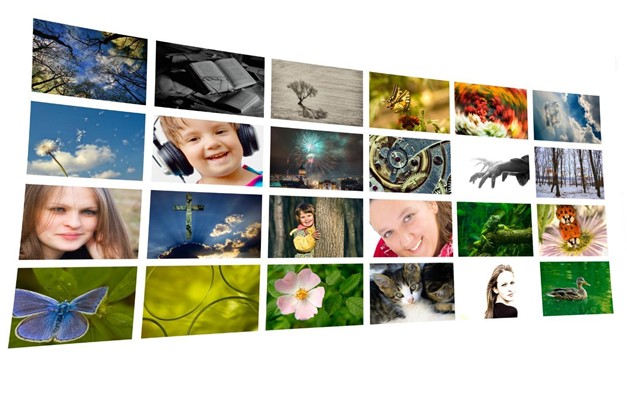
However, with so many different types of photography, how can you ever choose only one? The key lies in what inspires you most, making you feel alive every time you’re behind the camera.
Here are some of the most exciting types of photography you can try when picking your favorite niche.
Portrait Photography
Also known as portraiture, portrait photography is quite self-explanatory, just like any other photography niche. So, what makes it stand out?
When taking portrait photos, you need to tell the story of your subjects. What is it that makes them unique? What are their most notable personality traits?
You need to highlight their best features and perfectly capture that personality. Interesting poses play a big part here, so do the eyes. The most critical factors for high-quality portrait photography include good lighting, proper focal length, and a clean background. You can also use a shallow depth of field to put your subjects in full focus.
The background can also include objects that give more context. For instance, you can add a guitar, a basketball hoop, an easel, or anything else relevant to the story.
Portrait photography has many sub-types so that you can delve deeper into the genre. There are family portraits, couple portraits, fashion photography, glamour photography, surreal portraits, and more niche sectors for you to try.
The Event Photography Genre
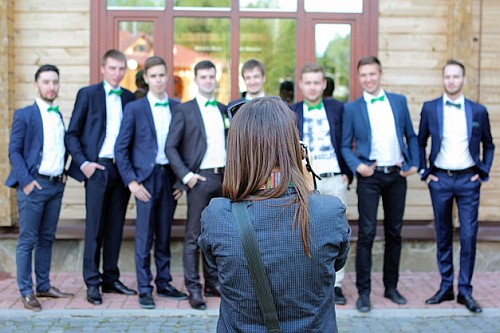
This photography niche can be unbelievably fun. You can shoot at a wealth of events, including concerts, birthday parties, weddings, anniversaries, corporate events, and so much more.
The interest is there to work at a range of events. However, you can specialise if you want. Just choose to work only one type of event, such as weddings, for instance.
The point is, events all have two things in common – they are fast-paced and include an array of subjects. They can even be a bit challenging. Apart from taking portraits and group shots, you may need to snap photos of food, the venue, and much more. Your other niche photographic interests can easily be included.
What it all comes down to is capturing once-in-a-lifetime moments. These are the special moments that the attendees will cherish forever. Your photos will enable them to relive the events and remember how fun everything was.
No pressure, right? The truth is that only your first gig will be a bit stressful until you get the hang of it. You’ll forget all about the stress halfway through the event. And, soon enough, it will become second nature to you. The really exciting thing is that in this type of niche photography you work with people who really want you to take their photo. That is great fun and rewarding.
The Stock Photography Niche
Using stock photos is very popular. So, you can quickly sell stock photos and earn a regular income.
This photography niche is ideal if you enjoy a wide range of interests. You can shoot whatever interests you. Stock pictures can be of food, nature, street photography, people, buildings, landmarks, offices, still life – you name it. Then, post the photos on stock photography websites.
Photographers sell stock photos under license. This allows your pictures to be used by multiple purchasers, increasing your income per picture.
‘Royalty Free’ (RF) licenses
These licenses grant non-exclusive, multiple, unlimited use of an image. There are few restrictions. The client pays a one-time fee to have perpetual use of the image in the permitted ways. However, in practice RF licenses tend allow a wide range of use. That means you may not always be happy with the type of use. So, be careful.
‘Rights-managed’ (RM) images
The ‘RM’ license require a one-time fee for limited usage. However, you can buy additional licenses that allow more uses. There may be other limitations on use too. For instance, the purchased RM license may have certain geographical restrictions or time limits. Alternatively, it may specify the type of media in which the image can be used (print, book, website etc.). Rights managed is the more traditional type of image license and is far more restrictive than royalty free.
Other ‘stock models’
License types are varied in this niche. So, you need to think about how you want to sell your images. ‘Microstock’ describes the low cost end of the stock photography business. Images usually sell under a ‘Royalty free’ license. The photographer is paid a small amount (a micro payment). Microstock libraries carry images from both pro and amateur photographers. The return you get per image may be tiny. However, it may be a good way to get started.
Once you become practiced in the stock photography business you might pick and choose. Certain images you make can be sold under RM license, others as different license types. As you get experienced you can learn which are the best sites for you to sell your images of different types.
Wildlife Photography
The wildlife photography niche covers many types of wild and natural shots. It is, without a doubt, one of the most challenging types of photography. It is also one of the most thrilling niches, as it can result in genuinely breathtaking photographs.
Why is it difficult? Because you can’t exactly instruct an animal to pose for a photo. You need to wait for a perfect moment to capture it and tell its story. This can mean sitting in one spot for hours on end – or much longer!
There will be times when you quickly get an opportunity for some magical shots. An animal might pass by and stop long enough for you to create a remarkable photo. But, you have to be ready for those blink-and-miss-it moments too.
“Patience is a virtue” gets a whole new meaning in wildlife photography. If you love animals and have a world of patience, this photography genre might be ideal for you. You can also get to see some wonderful parts of the world.
The Travel photography Niche
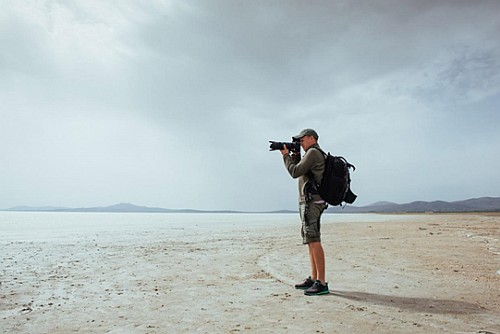
Undoubtedly, travel photography is one of the most popular types of photography. Just do a quick search on Instagram, and you’ll find an abundance of profiles with awesome travel photos.
Capture uniqueness
The goal of travel photography is to capture different landscapes, landmarks, cultures, peoples, history – everything that makes a place unique. When you travel to a location, you need to find what distinguishes it from everywhere else. Then focus on those shots that give the viewer something new to appreciate. Make them want to go there and your travel photography has succeeded.
As a travel photographer, you can mix various photography genres. You can snap portraits, food, landscapes, wildlife, streets, architecture and anything else. Look for things that tells a unique story about the places you visit.
Showcase special places
You have complete license to show off our lovely planet. Consequently, you can help people feel more connected to it. You can also help them choose their next vacation destinations. You might even help many of them find a place for their dream home.
What makes the travel photography niche especially exciting is that you get to travel the world. How else are you going to take photos of faraway places?
Traveling the world and shooting photos? Who would not want to live like that? It’s one of the most adventurous careers ever.
Inspired yet?
Each photography niche offers you something to think about and learn about. If you have a hard time making up your mind where to focus, those that include a range of types can be ideal. Again, it’s all about what inspires you, but be sure to give all these genres a try. That’s the only way to see if they match your interests and skills.
Comments, additions, amendments or ideas on this article?
Contact Us or leave a comment at the bottom of the page…
Like this article? Don’t miss the next — sign up for tips by email.
Photokonnexion Photographic Glossary – Definitions and articles.
Portraiture (A Glossary entry)
Post contributed by :: Isabella Foreman
 Isabella Foreman has been an avid blogger for 5 years, with particular interests in Photography – lifestyle activities like Travel, Weddings, etc. Today she is an expert on the subject and over the years she has consistently contributed articles to top photography and lifestyle publications. Presently, she is associated with Smart Photo Editors – a photo editing service company.
Website: Smart Photo Editors 
 Photokonnexion tips by email
If you enjoyed this article please sign up for our
Email service.
Find out more…









 Photokonnexion.com has more pages than your average photography book. All of them are packed with photography facts, resources and links to more. It is a rich resource for learning. It is a fun resource to browse. These pages aim to fill the details in. Photokonnexion.com is a perfect complement to our twitter stream.